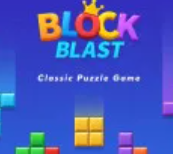
Block Blast Overview
Block Blast sits in the sweet spot between a relaxing brain game and a real strategy puzzle: the rules are simple—place shapes, clear full rows or columns, push your score—but high scores reward careful planning. That mix keeps it approachable for casual sessions yet satisfying for players who like to optimize every placement.
The usual way to play online is through block-blast.io: open a modern browser, start the game, and play without installing an app. Spin Blast also embeds the same experience here so you can jump in from our casual games lineup.
What Is Block Blast?
Block Blast is a grid-based block puzzle on an 8×8 board. You fit different-shaped pieces into empty cells and clear lines so the board does not choke.
Unlike classic falling block games, you place pieces freely where you choose. Once a block is down, it cannot be moved or rotated, so every drop is a commitment. As the grid fills, you have to think further ahead and manage space more tightly—difficulty comes from layout pressure, not a race against a clock.
Core Gameplay Mechanics & Modes
Block Blast uses a small set of rules that are easy to learn but deep to master.
- 8×8 grid: All placements happen on an eight-by-eight board. Completed rows or columns count as clears.
- Three blocks per turn: Each round gives you three different shapes. You must place all three before the next trio appears—plan the full set, not just the first piece.
- Line clearing: When a row or column is completely filled, it is removed and you score points.
- No rotation: Blocks cannot be rotated; orientation is fixed when the shapes are dealt.
- Game over: The run ends when there is no valid space left on the board for the blocks you currently have.
Game modes
Most versions highlight two main styles of play:
- Classic Mode: An endless-style run—stay alive as long as you can and chase the highest score by clearing lines efficiently.
- Adventure Mode: Level-based challenges with specific goals, such as target scores or patterned clears, so each stage feels like its own small puzzle.
How to Play Block Blast Online
Playing on block-blast.io is quick: use any up-to-date browser, load the page, and you are in.
- Open your browser and go to block-blast.io.
- Use Play Now (or the equivalent start control) to load the game.
- Drag on desktop or tap-drag on touch devices to place blocks on the grid.
- Fill an entire row or column to clear it and score.
- Place all three blocks to receive the next set of shapes.
- Keep clearing lines to raise your score until no placement is possible for the current blocks—that is game over.
On Spin Blast, tap Play Now above to load our embedded player, which pulls the game from the same host for a consistent experience.
Block Blast Controls
Controls stay minimal so you can focus on strategy.
- Desktop: Use the mouse to drag blocks from the tray and drop them on the board.
- Mobile and tablet: Tap and drag with your finger to move a piece into place on the grid.
There is no separate rotate button in the standard ruleset—what you see is the orientation you must work with.
Tips for a High Score
- Think ahead before the first placement: Glance at all three shapes. Sometimes placing a different piece first opens much better space for the rest.
- Keep the middle open: The center of the grid is the most flexible. Protecting it gives you more options when awkward or large shapes appear.
- Avoid tiny gaps: Single-cell holes are easy to ignore early but hard to fix later and can shorten a run.
- Leave room for big footprints: Do not pack every corner; wide pieces need open zones when they show up in the queue.
- Combo clears: Clearing a row and a column with one well-chosen placement boosts your score quickly—watch for those intersections.
Why Play on block-blast.io?
If you want Block Blast in the browser, the official hub is built around low friction and broad device support.
- Instant play: No download or install—open https://block-blast.io/ and start.
- Free, open-ended sessions: Play as long as you like without subscriptions or sign-ups for the core experience.
- Desktop and mobile: The site is meant to run smoothly on computers, phones, and tablets.
- Fast load: Modern browsers typically get you into the game quickly with stable performance.
Whether you want a short break or a long push for a personal best, it is a straightforward way to enjoy a block puzzle at your own pace.
Block Blast FAQs
- Where is the official game? The hub described in current documentation is block-blast.io.
- What is the board size? Standard Block Blast play uses an 8×8 grid; full rows and columns clear.
- Do pieces fall automatically? No—you place them freely. That is different from gravity-based stackers where tetrominos drop on their own.
- Can I rotate or move a block after placing it? Under the usual rules, no—placement is final and rotation is not available.
- How many blocks per turn? You get three shapes and typically must place all three before the next set arrives.
- When does the game end? When there is no space left to fit any of your current blocks.
- What modes exist? Expect Classic (endless score chase) and Adventure (levels with objectives); exact menus can vary slightly by build.
- How does Spin Blast load it? Our page embeds
https://block-blast.io/block-blast.embed—performance depends on that host and your network. - Can I play on a phone? Yes—desktop and mobile browsers are both supported on the official site.